

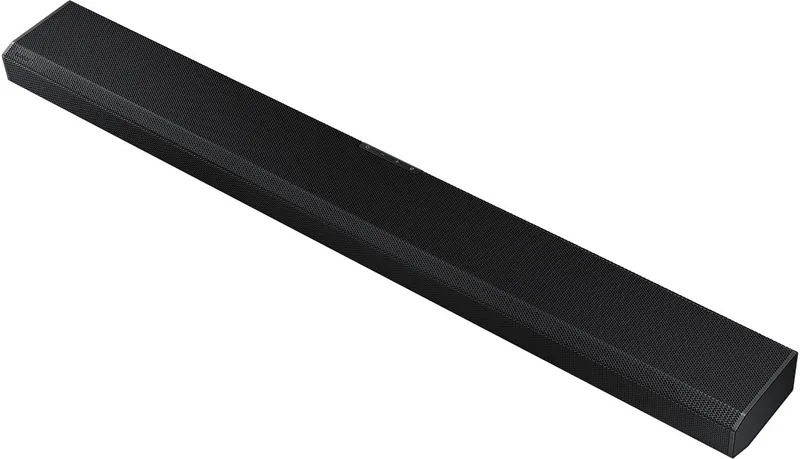
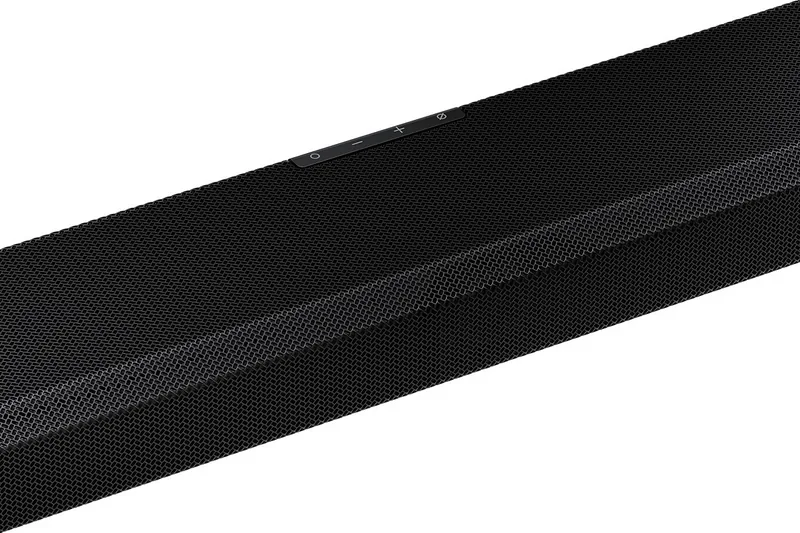
Samsung HW-Q800A Bruksanvisning
How many stars do you give the HW-Q800A manual?
PDF-manual · 794 sider
Nynorsk


/ 794

Rask sjekk
Incorrect answer, please try again.
Chat med din Samsung HW-Q800A-manual ved hjelp av AI
Få umiddelbare AI-svar fra din Samsung HW-Q800A-manual
Spør hva som helst om Samsung HW-Q800A. Svarene kommer fra denne manualen, med de sidene de er basert på.
Ask a Question
Do you recommend HW-Q800A?
Ja Nei
voluptatem_sapiente
5 måneder siden
Apakah kabel optik disertakan dalam kotak, dan apakah saya boleh menggunakan satu kawalan jauh untuk kedua-dua TV dan soundbar?
Frequently Asked Questions
Yes, the HW-Q800A fully supports Dolby Atmos and DTS:X decoding. It utilizes a 3.1.2 channel layout to create a three-dimensional soundfield, allowing audio to come from above and around you for a truly immersive movie experience.
Er dette svaret nyttig?
Absolutely. The soundbar connects via HDMI eARC/ARC, Optical cable, or Bluetooth. It works with most major TV brands including LG, Sony, Vizio, and others, provided they have the necessary output ports.
Er dette svaret nyttig?
The subwoofer included with the HW-Q800A is completely wireless. It pairs automatically with the main soundbar unit when powered on, eliminating the need for long speaker wires running across your floor.
Er dette svaret nyttig?
You can connect your iPhone using AirPlay 2 if your phone and soundbar are on the same Wi-Fi network. Alternatively, you can pair via Bluetooth for direct audio streaming from any app.
Er dette svaret nyttig?
Yes, it has a built-in microphone array that works with Amazon Alexa. You can press the button on top of the soundbar or use the remote to activate voice commands for controlling playback, volume, and smart home devices.
Er dette svaret nyttig?
Advantages and Disadvantages
Advantages

- Delivers immersive 3D audio with Dolby Atmos and DTS:X support
- Built-in Amazon Alexa enables hands-free voice control
- Supports AirPlay 2 for seamless Apple device integration
- Wireless subwoofer provides deep bass without messy cables
- Adaptive Sound+ automatically optimizes audio for any environment
Disadvantages

- Rear speakers are sold separately and add to the total cost
- Wi-Fi connection requires both TV and soundbar to be on the same network
- No physical remote control buttons for specific functions like mute
- Initial setup may require navigating complex menu settings
- Wall mount screws are not included in the box
Produkt Spesifikasjoner
Type
Lautsprecher mit Subwoofer
Kanalzahl
3.1.2
Leistung
330 W RMS
Audio-Decoder
Dolby Atmos, Dolby Digital Plus, Dolby TrueHD, DTS:X
Streaming-Clients
Apple AirPlay 2, Spotify
Sprachassistenten
Amazon Alexa, Samsung Bixby
HDR
HDR, HDR10, HDR10+
Videoeingänge
1x HDMI In, 1x HDMI Out
Audioeingänge
eARC, 1x Digital Audio In (optisch)
Wireless
Bluetooth 4.2, Wi-Fi
Farbe
Schwarz
Abmessungen
98,0 x 6,1 x 11,4 cm (BxHxT)
Subwoofer-Abmessungen
21,1 x 40,4 x 40,4 cm (BxHxT)
Gewicht
13,4 kg
Subwoofer-Gewicht
9,8 kg
Lieferumfang
Soundbar, 1x kabelgebundener Subwoofer
Produkt Beskrivelse
Elevate Your Home Cinema with the Samsung HW-Q800A
Transform your living room into a professional theater experience with the Samsung HW-Q800A soundbar. This premium audio system is designed to deliver immersive, high-fidelity sound that brings movies, music, and games to life. With its sleek design and powerful performance, it serves as the perfect centerpiece for any modern entertainment setup.
The HW-Q800A features a robust 3.1.2 channel configuration that creates a wide and deep soundstage. It supports advanced audio formats like Dolby Atmos and DTS:X, allowing you to hear sounds coming from all directions, including above you. Whether you are watching an action-packed blockbuster or listening to a symphony, the soundbar analyzes the content in real-time to optimize the audio output for the best possible clarity and depth.
Connectivity is seamless with multiple options including HDMI eARC, optical input, Bluetooth, and Wi-Fi. The built-in Amazon Alexa allows for hands-free voice control, letting you manage volume, play music, or check the weather without lifting a finger. For Apple users, AirPlay 2 support ensures smooth streaming from iPhones and iPads directly to the soundbar.
Installation is straightforward, offering flexibility for wall mounting or placing on a TV stand. The wireless subwoofer delivers punchy bass without the clutter of cables, while optional rear speakers can expand the system to a true surround sound experience. With adaptive sound technology, the HW-Q800A adjusts its settings based on your environment and the type of content you are playing, ensuring consistent quality every time.
Key Highlights
- Immersive 3.1.2 channel audio with Dolby Atmos support.
- Built-in Alexa for convenient voice commands.
- Multiple connectivity options including HDMI eARC and Wi-Fi.
- Wireless subwoofer for clean cable management.
- Adaptive Sound+ technology for optimized audio.
Søk i 67 732 bruksanvisninger på nett


-
Ingen resultater funnet.
Skriv inn merke eller modell
KinoFan99
3 måneder siden
Apakah soundbar Samsung HW-Q800A menyala dan mati secara otomatis mengikuti TV saya, serta apakah ia terhubung kembali jika saya menjeda film?
Manual.ly
3 måneder siden
Yes, the Samsung HW-Q800A is designed to integrate seamlessly with compatible Samsung TVs. When connected via HDMI eARC, the soundbar typically powers on and off automatically with your TV. However, some users have noted that while the unit turns off after inactivity, it may not always power back on automatically when you resume watching; in such cases, a quick manual power-on usually restores the connection instantly. We recommend checking your TV settings for Q-Symphony or Auto Power Link features to ensure optimal synchronization.